
On Screen QR Display
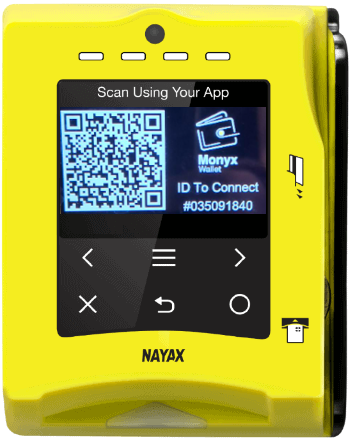
Each device has a QR code generated by default (Monyx QR), which includes it's device ID. The QR code may be displayed on the screen in idle mode or as a carousel, among other payment methods, cycling on the device's screen.
A logo of your brand could also be added alongside the QR.
Extracting the device ID from the entire QR string should be performed by the mobile application or its backend.
The mobile application backend should perform the Cortina calls with the device ID extracted from the QR image.
In order for the QR to appear in idle, you must do the following:
-
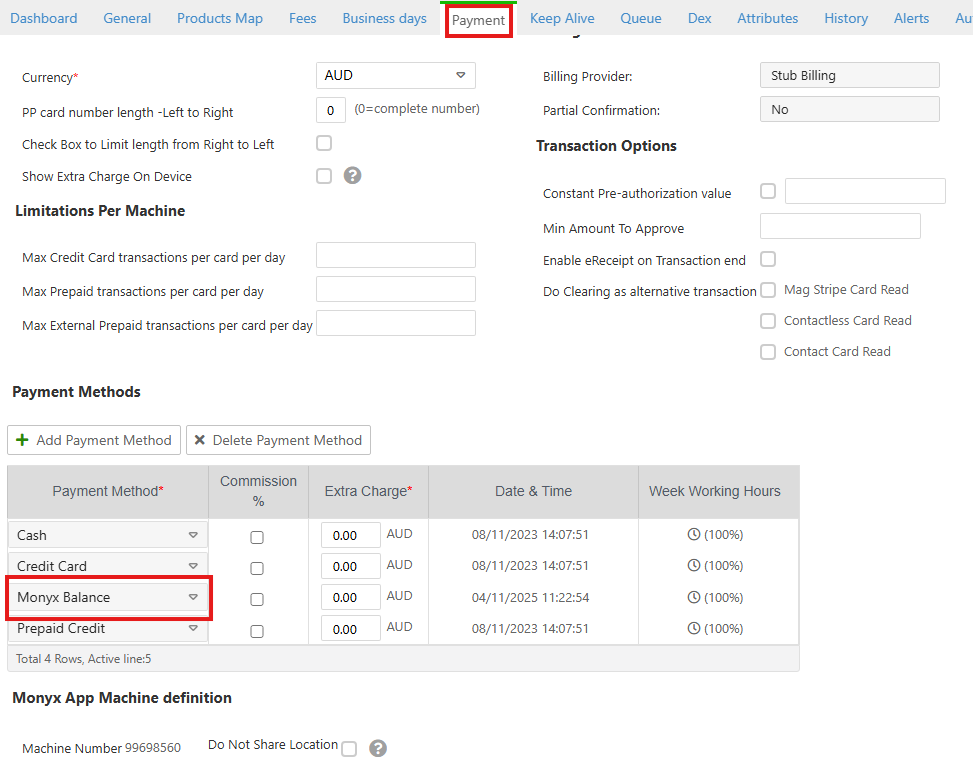
Ensure that you've got Monyx Balance on the Payment page (under the relevant virtual machine):
-
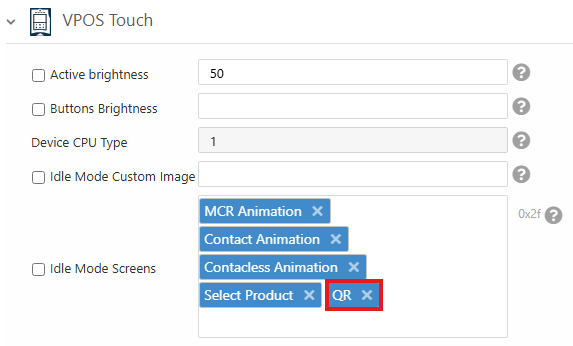
Set "QR" as one of your Idle Mode Screens:
See the image below for an example of how it would look:
Updated 4 months ago